I've blogged about DSL before and about bandwidth before but never about DSL bandwidth so here goes.
There are always rumblings about bandwidth caps among the carriers, both landline and wireless. While I'm not a huge user of bandwidth that got me interested in what I was using.
Fortunately I'm using dd-wrt in my home router. One of the administration screens shows you the WAN bandwidth over time. Here's what one month's looks like.
I've been capturing this month by month and graphing this.
So I'm just below 3 Gb down per month. That spike back in the summer of 2011 is the month before my TechNet subscription lapsed.
I'm not sure that this is actionable right now but is interesting nevertheless.
Sunday, May 13, 2012
Sunday, May 06, 2012
Another iSecret
I talked about my descent into Appleland. I have to admit that I've continued that descent. A co-worker of mine just had to have a "new iPad." He had a practically new iPad 2 that I took off his hands. Do you think I might buy a Mac next?
I did a factory reset on the iPad 2 and restored my wife's iPhone 4 from iTunes. That worked fine.
One thing I can't figure out is how to synchronize the Camera Rolls between the iPhone and the iPad. I turned on iCloud for the Photo Stream but that didn't do it. I'll keep looking.
I was looking for the Logitech Zagg case but started with an Acase. It works like Apple's Smart Cover.
Then I found the Logitech case on 1SaleADay for $20 and jumped on it.
I'm still searching for the Holy Grail of using a tablet to take notes in a business setting. I tried a Bluetooth keyboard on my TouchPad. Close but no cigar.
I tried a Google search and turned up the MyScript Memo app.
I had picked up a stylus on sale at BestBuy so I was ready.
The ability of MyScript to recognize handwriting is amazing. Even my wife can't read my handwriting but MyScript does. The app as downloaded from iTunes is really just a demo app as you can't save the recognized text. There's an in-app purchase for $2.99 to enable all the features.
Here's my handwriting.
The gray area below the handwriting is a movable palm shield.
Here's the recognized text.
Then I selected to send the text via e-mail.
There are a couple of issues. You only have that one screen to write on. Then you have to create another "note." Takes 2 taps. Also the formatting is severely limited which isn't a big deal except that you either can specify that there is a carriage return at the end of each line or there are no carriage returns.
I did a factory reset on the iPad 2 and restored my wife's iPhone 4 from iTunes. That worked fine.
One thing I can't figure out is how to synchronize the Camera Rolls between the iPhone and the iPad. I turned on iCloud for the Photo Stream but that didn't do it. I'll keep looking.
I was looking for the Logitech Zagg case but started with an Acase. It works like Apple's Smart Cover.
Then I found the Logitech case on 1SaleADay for $20 and jumped on it.
I'm still searching for the Holy Grail of using a tablet to take notes in a business setting. I tried a Bluetooth keyboard on my TouchPad. Close but no cigar.
I tried a Google search and turned up the MyScript Memo app.
I had picked up a stylus on sale at BestBuy so I was ready.
The ability of MyScript to recognize handwriting is amazing. Even my wife can't read my handwriting but MyScript does. The app as downloaded from iTunes is really just a demo app as you can't save the recognized text. There's an in-app purchase for $2.99 to enable all the features.
Here's my handwriting.
The gray area below the handwriting is a movable palm shield.
Here's the recognized text.
Then I selected to send the text via e-mail.
There are a couple of issues. You only have that one screen to write on. Then you have to create another "note." Takes 2 taps. Also the formatting is severely limited which isn't a big deal except that you either can specify that there is a carriage return at the end of each line or there are no carriage returns.
Sunday, April 29, 2012
I've Got a Secret
I've been keeping a secret. I bought an iPhone. Actually I bought my wife an iPhone. She loved her BlackBerry Curve but when Google announced late 2011 that they were dropping support for Gmail on BlackBerry I started looking for alternatives for her. To be clear, Google didn't kill Gmail support on BlackBerry but "deprecated" Gmail support. The scary part for me was that you would no longer be able to download a fresh copy should you have to rebuild the phone. I realize there are alternatives for that but still the handwriting was on the wall.
AT&T had a refurbished white iPhone 4 on sale Black Friday weekend for $49.95. I ordered her one. I was worried about her adapting to the soft keyboard after the Curve's hardware keyboard but that hasn't been a problem.
I had seen the handwriting on the wall for the BlackBerry for a while and had migrated her to the web-based Gmail interface. That made it easy to use the Exchange Active Sync protocol to connect the iPhone to her Gmail e-mail. I found Google's instructions here. Be sure to follow the "Next..." link at the bottom for Calendar support.
The Google support has been seamless. Push e-mail and push calendar are incredible. I share my calendar with her so she can see where I am.
She isn't big into taking pictures with her iPhone (yet) but what she does love is the Camera Roll. She gets lots of e-mails with pictures of our granddaughter and she saves them to the Camera Roll.
She likes to listen to the radio while she gets ready in the mornings. The AM/FM radio I had in the bathroom didn't have a good antenna. I got her a Jensen Docking Speaker System. It is compact, has stereo speakers and charges the iPhone. It actually has an FM receiver built-in but I didn't use that. There's an iTunes app that we don't use but you need it as the phone complains if it is not present when you place the phone in the dock. The app runs the radio built into the dock and presents a clock. I wanted to stream her favorite FM station over the Wi-Fi. After a couple of false starts I ended up with TimeTuner. It presents a nice clock and has 4 presets for streaming Internet radio stations. That has been a perfect solution for her.
We converted her 200MB BlackBerry data plan to an iPhone data plan. She's been running around 35MB per month as she uses Wi-Fi at all our family's houses. This is about twice as much data as her BlackBerry. With iMessage handling text messages among the other iPhones in the family she's been well within her 200 text message plan. She's actually using less text messages due to iMessage.
Last week she said "I love my iPhone." 'nuff said.
AT&T had a refurbished white iPhone 4 on sale Black Friday weekend for $49.95. I ordered her one. I was worried about her adapting to the soft keyboard after the Curve's hardware keyboard but that hasn't been a problem.
I had seen the handwriting on the wall for the BlackBerry for a while and had migrated her to the web-based Gmail interface. That made it easy to use the Exchange Active Sync protocol to connect the iPhone to her Gmail e-mail. I found Google's instructions here. Be sure to follow the "Next..." link at the bottom for Calendar support.
The Google support has been seamless. Push e-mail and push calendar are incredible. I share my calendar with her so she can see where I am.
She isn't big into taking pictures with her iPhone (yet) but what she does love is the Camera Roll. She gets lots of e-mails with pictures of our granddaughter and she saves them to the Camera Roll.
She likes to listen to the radio while she gets ready in the mornings. The AM/FM radio I had in the bathroom didn't have a good antenna. I got her a Jensen Docking Speaker System. It is compact, has stereo speakers and charges the iPhone. It actually has an FM receiver built-in but I didn't use that. There's an iTunes app that we don't use but you need it as the phone complains if it is not present when you place the phone in the dock. The app runs the radio built into the dock and presents a clock. I wanted to stream her favorite FM station over the Wi-Fi. After a couple of false starts I ended up with TimeTuner. It presents a nice clock and has 4 presets for streaming Internet radio stations. That has been a perfect solution for her.
We converted her 200MB BlackBerry data plan to an iPhone data plan. She's been running around 35MB per month as she uses Wi-Fi at all our family's houses. This is about twice as much data as her BlackBerry. With iMessage handling text messages among the other iPhones in the family she's been well within her 200 text message plan. She's actually using less text messages due to iMessage.
Last week she said "I love my iPhone." 'nuff said.
Sunday, April 22, 2012
DSL Upload Speed
I don't think I can explain this. The best I can do is show you what I did and the results.
Ok, if you don't have DSL I think you can quit reading. But I'm not sure so maybe you want to read on. I don't know.
I have AT&T's "FastAccess DSL XTREME 6.0." This is advertised as 6.0 Mbps down and 512 Kbps up.
AT&T actually does pretty well delivering this.
Except when I'm doing massive uploads. Understandably the uploads are limited by the upload speed but what I've been experiencing as long as I can remember is that when I'm uploading the download speed drops to dial-up. Consequently I end up queueing up big uploads for overnight.
Until October 2011 I thought this was something that just affected me and I wasn't willing to arm wrestle AT&T to work on this. Then when we were in Italy I had the same experience. The "hotel" I stayed at in Manarola had DSL. Their download speed was over 10 Mbps but when I uploaded my pictures the whole Wi-Fi network slowed to a crawl. The good news is there were only 4 rooms in the "hotel" so I didn't really impact anyone else.
Hmmm. The problem I was seeing must be a general DSL problem, not just something in my configuration. So I went off and Googled it.
I found this article.
So I wrote it off as a DSL phenomenon and started thinking about cable Internet. But cable Internet is more expensive and, as you know, I'm cheap. So I didn't do anything.
Fast forward to March 2012. I listen to Steve Gibson's Security Now podcast on TWiT. His show on March 14, 2012 was entitled "Buffer Bloat." The best I can explain this is that modern network devices with large buffers defeat TCP's built-in self-pacing capabilities. It was pretty much over my head and it didn't seem that I could do anything about it anyway.
A month later Steve had a question and answer edition. A listener had written in how he had used his router's QoS settings to manage the "Buffer Bloat" upstream from him. You can watch the question and answer here.
So I went into my router and found the QoS settings. I enabled them and set the uplink speed to 350 Kbps, just less than my observed upload speed.
Problem solved.
Ok, if you don't have DSL I think you can quit reading. But I'm not sure so maybe you want to read on. I don't know.
I have AT&T's "FastAccess DSL XTREME 6.0." This is advertised as 6.0 Mbps down and 512 Kbps up.
AT&T actually does pretty well delivering this.
Except when I'm doing massive uploads. Understandably the uploads are limited by the upload speed but what I've been experiencing as long as I can remember is that when I'm uploading the download speed drops to dial-up. Consequently I end up queueing up big uploads for overnight.
Until October 2011 I thought this was something that just affected me and I wasn't willing to arm wrestle AT&T to work on this. Then when we were in Italy I had the same experience. The "hotel" I stayed at in Manarola had DSL. Their download speed was over 10 Mbps but when I uploaded my pictures the whole Wi-Fi network slowed to a crawl. The good news is there were only 4 rooms in the "hotel" so I didn't really impact anyone else.
Hmmm. The problem I was seeing must be a general DSL problem, not just something in my configuration. So I went off and Googled it.
I found this article.
You should expect download speeds to be very seriously impacted by any file uploads that you may be undertaking at the same time. This is a normal consequence of the design of ADSL services.Read the whole article. There's lots more that I didn't understand.
So I wrote it off as a DSL phenomenon and started thinking about cable Internet. But cable Internet is more expensive and, as you know, I'm cheap. So I didn't do anything.
Fast forward to March 2012. I listen to Steve Gibson's Security Now podcast on TWiT. His show on March 14, 2012 was entitled "Buffer Bloat." The best I can explain this is that modern network devices with large buffers defeat TCP's built-in self-pacing capabilities. It was pretty much over my head and it didn't seem that I could do anything about it anyway.
A month later Steve had a question and answer edition. A listener had written in how he had used his router's QoS settings to manage the "Buffer Bloat" upstream from him. You can watch the question and answer here.
So I went into my router and found the QoS settings. I enabled them and set the uplink speed to 350 Kbps, just less than my observed upload speed.
Problem solved.
Sunday, April 15, 2012
Browser Share
Tom's Hardware had a recent article on the futures of the various browsers. In summary the author predicted that Firefox would rise again after overcoming some of its recent problems. He calls 2011 "...A catastrophic year for Firefox." I agree.
Perhaps I hadn't been watching closely enough but what surprised me was the ongoing precipitous drop for Internet Explorer as shown in this chart.
The data comes from StatCounter. Maybe there's an agenda there but I'm not aware of it. Tom's Hardware doesn't seem to have a dog in the fight. The author says "take any market share predictions with a grain of salt."
Perhaps I hadn't been watching closely enough but what surprised me was the ongoing precipitous drop for Internet Explorer as shown in this chart.
The data comes from StatCounter. Maybe there's an agenda there but I'm not aware of it. Tom's Hardware doesn't seem to have a dog in the fight. The author says "take any market share predictions with a grain of salt."
Wednesday, April 11, 2012
Patch Tuesday
PCs I applied Microsoft patches to on 04/10/12:
- T420s
- XP VM
- T61
- Server
- XP VM
- Windows 8 VM
- T43
- X40
- X100e
- XP VM
- Byhalia
Lumia 900 Data Bug
I started to write a blog post today accusing Nokia of falsely reporting a problem with data on their Lumia 900 in order to offer a $100 rebate effectively making the phone free. That isn't true and I'm glad I didn't post it. If you know me, I'm not opposed to free. It just worries me to think that Microsoft/Nokia would have to make a well respected piece of hardware free in order to push the operating system.
I had the original blog post almost written. The premise was that I couldn't find any user reports of the data bug before the rebate was announced.
Finally I stumbled across the problem reports in a Windows Phone specific forum.
In retrospect I think that the problem with me not finding anything with Google was that there were not enough of the Lumia 900s sold to create enough Google "juice" to get the articles on the problem high in the search results.
On the same topic, ZDNet reported that Windows Phone's market share is dropping an average of 1% per month. In that Windows Phone is at less than 4% that doesn't look good. For the time being Windows Phone is still leading Symbian.
This doesn't look good for Windows Phone. I hope Microsoft and Nokia get their act together as we need an alternative to iOS and Android.
Update: Now you can make $80 by buying a Lumia 900 at Target.
I had the original blog post almost written. The premise was that I couldn't find any user reports of the data bug before the rebate was announced.
Finally I stumbled across the problem reports in a Windows Phone specific forum.
In retrospect I think that the problem with me not finding anything with Google was that there were not enough of the Lumia 900s sold to create enough Google "juice" to get the articles on the problem high in the search results.
On the same topic, ZDNet reported that Windows Phone's market share is dropping an average of 1% per month. In that Windows Phone is at less than 4% that doesn't look good. For the time being Windows Phone is still leading Symbian.
This doesn't look good for Windows Phone. I hope Microsoft and Nokia get their act together as we need an alternative to iOS and Android.
Update: Now you can make $80 by buying a Lumia 900 at Target.
Sunday, April 08, 2012
When Clouds Go Bump
There certainly has been a lot of discussion at the CIO level about Cloud Computing. A recent CIO I spoke with was looking at the cloud to help him address his challenges in staffing and running his data center. He and I had deep discussions about his in house alternatives to the cloud. Interestingly while we were having these discussions one of the biggest clouds went bump.
On February 29, 2012 Microsoft's Azure product had a global service failure. Microsoft's Azure Service Dashboard was overwhelmed and pretty much unavailable for hours on end. When it was accessible here is one of the updates approximately 8 hours into the outage:
What I want to highlight is that cloud providers are not immune from service failures. They are likely capable of providing more redundant and resilient services than many organizations can provide.
My question is as a CIO are you comfortable with this level of opacity to service failures? Are you willing to answer your users and executives with one-way information flow from a (sometimes available) web page? Would a 10 day service credit make your CEO happy?
On February 29, 2012 Microsoft's Azure product had a global service failure. Microsoft's Azure Service Dashboard was overwhelmed and pretty much unavailable for hours on end. When it was accessible here is one of the updates approximately 8 hours into the outage:
The restoration steps to mitigate the issue are still underway. This incident impacts Access Control 2.0, Marketplace, Service Bus and the Access Control & Caching Portal in the same regions where Windows Azure Compute is impacted. As a result affected customers may experience a loss of application functionality. Further updates will be published to keep you apprised of the situation. We apologize for any inconvenience this causes our customers.This is not a Microsoft bashing. In April, 2011 Amazon also suffered a broad failure.
What I want to highlight is that cloud providers are not immune from service failures. They are likely capable of providing more redundant and resilient services than many organizations can provide.
My question is as a CIO are you comfortable with this level of opacity to service failures? Are you willing to answer your users and executives with one-way information flow from a (sometimes available) web page? Would a 10 day service credit make your CEO happy?
Monday, April 02, 2012
Chrome Setup
After my previous post on Firefox's EOL, I thought I'd document my Chrome setup.
Extensions:
I use the Greyscale theme.
Have fun!
Updated 02/24/13
Extensions:
- Adblock Plus for Google Chrome™ (Beta) - General - uncheck "Show icon in address bar", Filter lists - select EasyList, uncheck "Allow some non-intrusive advertising"
- AddThis - Share & Bookmark (new) - Hide button
- Chrome Toolbox (by Google) - Hide button, uncheck "show image floating toolbar", uncheck "show video floating toolbar"
- Drag and Go - uncheck "support 6 most frequently used mouse gestures"
- New Tabs At End
- Click the settings icon (3 bars) on the browser toolbar.
- Select Settings.
- In the "On Startup" section, check "Continue where I left off."
- In the “Search” section, use the “Enable Instant for faster searching and browsing” checkbox to enable or disable the Instant feature.
- Click on "Show advanced settings..."
- Check "Send a ‘Do Not Track’"
- Uncheck "Enable Autofill."
- Uncheck "Offer to save passwords."
- Check "Ask where to save each file before downloading."
I use the Greyscale theme.
Have fun!
Updated 02/24/13
Monday, March 26, 2012
R.I.P. Firefox
After my recent posts on Dancing Pigs and Almost Chrome I've pretty much switched completely to Chrome. Today was the final nail in the coffin. Mozilla announced the End of Life for Firefox v3.
As far as I've seen nothing has been resolved with the tab width issue. Chrome still has the Gmail formatting issue but I've mitigated it somewhat by turning off the Default Text Styling Lab. The resulting e-mails are not as pretty but they've all had consistent formatting.
Firefox 10, 11, 12, or whatever it is today still suffers with the extensions version problem. The Internet Storm Center has a good diary on this issue.
Time to move on.
As far as I've seen nothing has been resolved with the tab width issue. Chrome still has the Gmail formatting issue but I've mitigated it somewhat by turning off the Default Text Styling Lab. The resulting e-mails are not as pretty but they've all had consistent formatting.
Firefox 10, 11, 12, or whatever it is today still suffers with the extensions version problem. The Internet Storm Center has a good diary on this issue.
Time to move on.
Saturday, March 24, 2012
WISPr Connect
Late last month I traveled to Boston and stayed at a Hilton owned property. Hilton has sold their hotel Internet business (including Wi-Fi) to AT&T Wi-Fi (formerly Wayport). When AT&T acquired Wayport they allowed their Wi-Fi enabled smartphones to automatically connect to the "attwifi" hotspots transparently using a technique known as WISPr.
So when I arrived at the Hilton property with my AT&T Captivate it tried to WISPr connect to the "attwifi" access point. It established an 802.11 connection but then I got an icon in the notification bar that said "AT&T Wi-Fi Hotspot / Wi-Fi Hotspot Access Failed." When I clicked on the notification I got a screen that said "Unable to confirm eligibility, please call Customer Care at 800-331-5000." Yeah, like they could help. I was able to connect to the "attwifi" network using my AT&T DSL credentials.
I was stuck in the hotel with nothing else to do so I called AT&T Mobility Customer Care. Needless to say I got nowhere. They said I need to talk to AT&T Wi-Fi but (according to AT&T Mobility) Wi-Fi isn't open at night. (This is not true by the way.) So I got up the next morning and called AT&T Wi-Fi. Let's just say that the representatives at AT&T Wi-FI are a whole another class of representatives than AT&T Mobility. But you guessed it, they wanted to send me back to AT&T Mobility. After getting dropped back in voice menu hell a couple of times, I asked AT&T Wi-Fi to conference us with AT&T Mobility. AT&T Mobility dropped off the call without telling us.
In summary, I got nowhere. When I got home I began to research this on the Internet. I found a couple of issues worth passing on. First a couple of the truly paranoid are experiencing the same problem and have postulated that this is a scheme by AT&T to discourage users who still have the unlimited data plan (I do) into migrating onto the tiered data plans.
Probably more based in reality were several discussions surrounding the issue with AT&T silently connecting their smartphones to their insecure hotspots. The issue is that GSM 3G traffic is lightly encrypted but the 802.11 traffic to the insecure "attwifi" access point won't be encrypted at all. This is especially an issue if you're using POP e-mail that doesn't uss SSL/TLS. A word to the wise should be sufficient.
Lastly was an issue that I plan to exploit! Given that AT&T smartphones use this transparent connection to "attwifi" hotspots, there is a risk of a rogue "attwifi" hotspot hijacking your Wi-Fi session. This probably isn't too much of a risk in Memphis but could be in more dense metropolitan locations or airports.
The way I plan to exploit this is to create a guest SSID on my dd-wrt router named "attwifi." Then all my AT&T smartphone friends and family will automatically connect to my guest SSID without having to explain to them how to connect. Sure I run the risk of somebody driving by and connecting but if they really are driving by they probably won't have time to connect.
I did get a survey from AT&T Wi-Fi asking about how the call went. I responded that they were helpful but my problem didn't get resolved. Incredibly I got a personal e-mail from a manager at AT&T Wi-Fi asking how he could help. This evolved into where I got the direct number to an AT&T Wi-Fi support specialist that actually knows something. He checked back with me every couple of days and let me know what he was doing. He was able to look at the AT&T Wi-Fi logs and discovered that my phone has never connected to the AT&T Wi-Fi network using the WISPr technique. He could see the logins that I had performed using my DSL credentials. What a breath of fresh air to be able to speak with someone who could actually look at the logs.
But what this said is that the AT&T Mobility WISPr process was not being successful. The AT&T Wi-Fi representative actually had a contact at AT&T Mobility who had similar access to their logs. The AT&T Mobility representative didn't see that my phone was ever going through the WISPr process. The two of them continued to work on it and the AT&T Wi-Fi promised to get back to me by the end of the week.
I had noticed in the Captivate's Wireless Settings that the "Network Notification" was unchecked. This is part of my new phone setup that I had done after the factory reset and Gingerbread upgrade. Just for grins I checked this and headed to my nearest AT&T Mobility store where there was an AT&T Wi-Fi hotspot. It worked!
Not to look a gift horse in the mouth but why? Had AT&T Mobility changed something or did the "Network Notification" setting make the difference?
So back to an AT&T Wi-Fi hotspot with "Network Notification" turned off. It worked. Hmmm. I turned "Network Notification" back on. It worked. I left it off and went to another AT&T Wi-Fi hotspot that I hadn't visited before. It worked. Whatever, I'll take it.
On Friday the AT&T Wi-Fi representative called me back. I like those guys. He discussed potential problems with "forgetting" the "attwifi" SSID and problems that might cause with WISPr. I had probably done that in trying to get connected. I told him what I had done with "Network Notification" and the success I had. He said that his contact at AT&T Mobility hadn't changed anything.
Given what I know, it seems that enabling "Network Notification" and letting the phone discover and connect to "attwifi" enabled the WISPr authentication. The WISPr connect continued to work even after I disabled "Network Notification." That fixed it or AT&T Mobility did something and didn't tell anyone. Nah. They wouldn't do that would they?
So when I arrived at the Hilton property with my AT&T Captivate it tried to WISPr connect to the "attwifi" access point. It established an 802.11 connection but then I got an icon in the notification bar that said "AT&T Wi-Fi Hotspot / Wi-Fi Hotspot Access Failed." When I clicked on the notification I got a screen that said "Unable to confirm eligibility, please call Customer Care at 800-331-5000." Yeah, like they could help. I was able to connect to the "attwifi" network using my AT&T DSL credentials.
I was stuck in the hotel with nothing else to do so I called AT&T Mobility Customer Care. Needless to say I got nowhere. They said I need to talk to AT&T Wi-Fi but (according to AT&T Mobility) Wi-Fi isn't open at night. (This is not true by the way.) So I got up the next morning and called AT&T Wi-Fi. Let's just say that the representatives at AT&T Wi-FI are a whole another class of representatives than AT&T Mobility. But you guessed it, they wanted to send me back to AT&T Mobility. After getting dropped back in voice menu hell a couple of times, I asked AT&T Wi-Fi to conference us with AT&T Mobility. AT&T Mobility dropped off the call without telling us.
In summary, I got nowhere. When I got home I began to research this on the Internet. I found a couple of issues worth passing on. First a couple of the truly paranoid are experiencing the same problem and have postulated that this is a scheme by AT&T to discourage users who still have the unlimited data plan (I do) into migrating onto the tiered data plans.
Probably more based in reality were several discussions surrounding the issue with AT&T silently connecting their smartphones to their insecure hotspots. The issue is that GSM 3G traffic is lightly encrypted but the 802.11 traffic to the insecure "attwifi" access point won't be encrypted at all. This is especially an issue if you're using POP e-mail that doesn't uss SSL/TLS. A word to the wise should be sufficient.
Lastly was an issue that I plan to exploit! Given that AT&T smartphones use this transparent connection to "attwifi" hotspots, there is a risk of a rogue "attwifi" hotspot hijacking your Wi-Fi session. This probably isn't too much of a risk in Memphis but could be in more dense metropolitan locations or airports.
The way I plan to exploit this is to create a guest SSID on my dd-wrt router named "attwifi." Then all my AT&T smartphone friends and family will automatically connect to my guest SSID without having to explain to them how to connect. Sure I run the risk of somebody driving by and connecting but if they really are driving by they probably won't have time to connect.
I did get a survey from AT&T Wi-Fi asking about how the call went. I responded that they were helpful but my problem didn't get resolved. Incredibly I got a personal e-mail from a manager at AT&T Wi-Fi asking how he could help. This evolved into where I got the direct number to an AT&T Wi-Fi support specialist that actually knows something. He checked back with me every couple of days and let me know what he was doing. He was able to look at the AT&T Wi-Fi logs and discovered that my phone has never connected to the AT&T Wi-Fi network using the WISPr technique. He could see the logins that I had performed using my DSL credentials. What a breath of fresh air to be able to speak with someone who could actually look at the logs.
But what this said is that the AT&T Mobility WISPr process was not being successful. The AT&T Wi-Fi representative actually had a contact at AT&T Mobility who had similar access to their logs. The AT&T Mobility representative didn't see that my phone was ever going through the WISPr process. The two of them continued to work on it and the AT&T Wi-Fi promised to get back to me by the end of the week.
I had noticed in the Captivate's Wireless Settings that the "Network Notification" was unchecked. This is part of my new phone setup that I had done after the factory reset and Gingerbread upgrade. Just for grins I checked this and headed to my nearest AT&T Mobility store where there was an AT&T Wi-Fi hotspot. It worked!
Not to look a gift horse in the mouth but why? Had AT&T Mobility changed something or did the "Network Notification" setting make the difference?
So back to an AT&T Wi-Fi hotspot with "Network Notification" turned off. It worked. Hmmm. I turned "Network Notification" back on. It worked. I left it off and went to another AT&T Wi-Fi hotspot that I hadn't visited before. It worked. Whatever, I'll take it.
On Friday the AT&T Wi-Fi representative called me back. I like those guys. He discussed potential problems with "forgetting" the "attwifi" SSID and problems that might cause with WISPr. I had probably done that in trying to get connected. I told him what I had done with "Network Notification" and the success I had. He said that his contact at AT&T Mobility hadn't changed anything.
Given what I know, it seems that enabling "Network Notification" and letting the phone discover and connect to "attwifi" enabled the WISPr authentication. The WISPr connect continued to work even after I disabled "Network Notification." That fixed it or AT&T Mobility did something and didn't tell anyone. Nah. They wouldn't do that would they?
Sunday, March 18, 2012
Picasaweb Free Photo Hosting
When Google introduced Google+ they said it offered free photo storage. How they implemented this was to integrate Picasaweb into Google+ and not count photos up to 2048 x 2048 pixels and videos up to 15 minutes. I realize that this isn't sufficient size to use this for backup but Picasaweb has a nice presentation for sharing photos.
So I set out to figure out how to upload and resize to the target size automatically. Previously the Picasaweb web upload offered to resize automatically but that capability is now gone. Odd but oh, well. But I figured out that the Google+ photo upload process does resize automatically. But (isn't there always a "but?") Google+ wants to share the photos automatically and doesn't give you good tools to manage the sharing.
So here's my trick. You need a Google+ profile to make this work.
Login to your Google account. This is probably your Gmail account. Go to your Google+ "Photos" page (https://plus.google.com/photos). You may have to join Google+ the first time.
Click on "Upload new photos."
Drag photos or select them from your computer.
Here's how they'll look uploading. Click "Create album" when they're done.
I don't tag people in my Picasaweb albums so I "Cancel" here.
Now here's the fun part. This prompt about sharing is about sharing using Google+. Click on "Cancel" here. You'll get to specify sharing in more detail in a little bit.
Now browse to "https://picasaweb.google.com/home." Your new album should near the first of the list.
Select it and you'll get the Picasaweb sharing options at the right. Click on the "Only you (edit)" way up near the top right.
Whew! That's what you want. Down at the bottom is a drop down for "Visibility." That gives you more choices that just Google+. Notice just below this drop down is a check box to show or hide the geolocation data.
Make your choices and click on "Save changes" and you're done. If you've chosen the "Visibility" of "Limited, anyone with the link" the link is about halfway down the page on the right when you click on "Link to this album."
The link will look like "https://picasaweb.google.com/[your Google+ profile]/[album name]?authuser=0&authkey=[authkey]&feat=directlink." I know the following is confusing but when you share this, add "&noredirect=1" at the end. Google moves in mysterious ways. What this does is force the presentation to be in the Picasaweb format rather than the Google+ format. It'll work fine if you don't so don't sweat it.
These photos are resized to 2048 x 2048 or less and don't add to your Picasaweb quota of 1 GB. Unless your originals are smaller than this you shouldn't depend on this process for backup, just for free sharing.
So I set out to figure out how to upload and resize to the target size automatically. Previously the Picasaweb web upload offered to resize automatically but that capability is now gone. Odd but oh, well. But I figured out that the Google+ photo upload process does resize automatically. But (isn't there always a "but?") Google+ wants to share the photos automatically and doesn't give you good tools to manage the sharing.
So here's my trick. You need a Google+ profile to make this work.
Login to your Google account. This is probably your Gmail account. Go to your Google+ "Photos" page (https://plus.google.com/photos). You may have to join Google+ the first time.
Click on "Upload new photos."
Drag photos or select them from your computer.
Here's how they'll look uploading. Click "Create album" when they're done.
I don't tag people in my Picasaweb albums so I "Cancel" here.
Now here's the fun part. This prompt about sharing is about sharing using Google+. Click on "Cancel" here. You'll get to specify sharing in more detail in a little bit.
Now browse to "https://picasaweb.google.com/home." Your new album should near the first of the list.
Select it and you'll get the Picasaweb sharing options at the right. Click on the "Only you (edit)" way up near the top right.
Whew! That's what you want. Down at the bottom is a drop down for "Visibility." That gives you more choices that just Google+. Notice just below this drop down is a check box to show or hide the geolocation data.
Make your choices and click on "Save changes" and you're done. If you've chosen the "Visibility" of "Limited, anyone with the link" the link is about halfway down the page on the right when you click on "Link to this album."
The link will look like "https://picasaweb.google.com/[your Google+ profile]/[album name]?authuser=0&authkey=[authkey]&feat=directlink." I know the following is confusing but when you share this, add "&noredirect=1" at the end. Google moves in mysterious ways. What this does is force the presentation to be in the Picasaweb format rather than the Google+ format. It'll work fine if you don't so don't sweat it.
These photos are resized to 2048 x 2048 or less and don't add to your Picasaweb quota of 1 GB. Unless your originals are smaller than this you shouldn't depend on this process for backup, just for free sharing.
Saturday, March 10, 2012
Windows 8 Consumer Preview
Everybody has heard about the Windows 8 Consumer Preview. Like millions of others I downloaded it. I installed it in a VirtualBox virtual machine.
UPDATE: I had done this install on VirtualBox v4.1.8. Recently I upgraded to v4.1.10 and the associated Guest Additions. The Guest Additions killed Windows 8. The problem is described here. I didn't try the recommended solution. I was able to get the Windows 8 recovery dialog up after I reset the virtual machine and restored to a good recovery point.
I've played with it for a week or so and wanted to write this post with a ton of screenshots. But my use of VirtualBox is aggravating this. I run the virtual machine on my "Big Honker." Then I mostly access it via VRDP from my T420s. This really complicates the subtleties of interaction with the target system.
The upside is that Windows 8 has a clever new shortcut. Pressing the Windows key and the PrtSc key at the same time takes a screen shot and puts it in your Pictures library. Clever. The default viewer for the resulting .png file is the Metro Photo app. Interesting.
By the way, the Metro apps in the Preview are just demonstration applications. They all work but aren't full function. Not a problem.
As I was writing this I made some progress in taking screenshots so here's the boot splash screen.
Hint: That's a "beta" fish.
This is the pre-lock screen.
There are no instructions on this screen but if you click and drag toward the top...
(Please ignore the timestamps.)
You get the login screen.
The Metro interface is beautiful and provides an interesting connection back to the traditional (dare I call it "legacy") Desktop. But the transition is "jarring." It would be less so if I could figure out how to use a common background but the Metro will only let you chose from a few colors.
The Windows key toggles you between the Desktop and the Metro interface.
Hovering in the top left corner shows you a thumbnail of the previous app(lication). Carefully sliding your mouse down the left border expands this into a mini Task Manager with thumbnails of other running apps. At the bottom is a thumbnail of the Start screen. Windows + Tab also brings this up.
Ctrl + Tab lets you toggle through running apps as you'd expect.
To dismiss a Metro app, click near the top and drag to the bottom reminiscent of webOS! While this doesn't actually close the Metro app, Alt + F4 still works.
Windows + C brings up a "charms" overlay that has "Search," "Share," "Start," "Devices," and "Settings." The "Settings" here are pretty limited.
Obviously there's lots more to Windows 8. Go play with it yourself and discover some.
I also found another post that covers many of the points that I wanted to make and they have screenshots.
Update: In TWiT's Windows Weekly 252, Paul Thurott made a couple of interesting statements:
The very notion of a productivity application is counter to Metro.
You can bitch and moan all you want ... but I've got bad news for you. It's not changing. (about the schizophrenic personality of Windows 8)
UPDATE: I had done this install on VirtualBox v4.1.8. Recently I upgraded to v4.1.10 and the associated Guest Additions. The Guest Additions killed Windows 8. The problem is described here. I didn't try the recommended solution. I was able to get the Windows 8 recovery dialog up after I reset the virtual machine and restored to a good recovery point.
I've played with it for a week or so and wanted to write this post with a ton of screenshots. But my use of VirtualBox is aggravating this. I run the virtual machine on my "Big Honker." Then I mostly access it via VRDP from my T420s. This really complicates the subtleties of interaction with the target system.
The upside is that Windows 8 has a clever new shortcut. Pressing the Windows key and the PrtSc key at the same time takes a screen shot and puts it in your Pictures library. Clever. The default viewer for the resulting .png file is the Metro Photo app. Interesting.
By the way, the Metro apps in the Preview are just demonstration applications. They all work but aren't full function. Not a problem.
As I was writing this I made some progress in taking screenshots so here's the boot splash screen.
Hint: That's a "beta" fish.
This is the pre-lock screen.
There are no instructions on this screen but if you click and drag toward the top...
(Please ignore the timestamps.)
You get the login screen.
The Metro interface is beautiful and provides an interesting connection back to the traditional (dare I call it "legacy") Desktop. But the transition is "jarring." It would be less so if I could figure out how to use a common background but the Metro will only let you chose from a few colors.
The Windows key toggles you between the Desktop and the Metro interface.
Hovering in the top left corner shows you a thumbnail of the previous app(lication). Carefully sliding your mouse down the left border expands this into a mini Task Manager with thumbnails of other running apps. At the bottom is a thumbnail of the Start screen. Windows + Tab also brings this up.
Ctrl + Tab lets you toggle through running apps as you'd expect.
To dismiss a Metro app, click near the top and drag to the bottom reminiscent of webOS! While this doesn't actually close the Metro app, Alt + F4 still works.
Windows + C brings up a "charms" overlay that has "Search," "Share," "Start," "Devices," and "Settings." The "Settings" here are pretty limited.
Obviously there's lots more to Windows 8. Go play with it yourself and discover some.
I also found another post that covers many of the points that I wanted to make and they have screenshots.
Update: In TWiT's Windows Weekly 252, Paul Thurott made a couple of interesting statements:
The very notion of a productivity application is counter to Metro.
You can bitch and moan all you want ... but I've got bad news for you. It's not changing. (about the schizophrenic personality of Windows 8)
Thursday, February 16, 2012
Resources Used by Free Anti-Virus
I've been a long time subscriber of Fred Langa's Windows Secrets newsletter. Recently I highlighted his article on Crapware. I also just described my experiences with Microsoft Security Essentials v4.
In an article in the current edition of the Windows Secrets newsletter, Fred applied the process he used in the Crapware analysis to the resources required of the various free anti-virus solutions. Fred comprehensively analyzed 6 free anti-virus tools for their impact on startup time, shutdown time, RAM footprint, and disk space.
There was no runaway leader. Microsoft Security Essentials didn't win nor lose any of the measures but was always respectable. Clamwin had more wins than anyone else.
I'm not sure there's enough difference among the leaders to make anyone switch from one to the other. To me the most interesting part was Fred's process using Oracle's VirtualBox.
In an article in the current edition of the Windows Secrets newsletter, Fred applied the process he used in the Crapware analysis to the resources required of the various free anti-virus solutions. Fred comprehensively analyzed 6 free anti-virus tools for their impact on startup time, shutdown time, RAM footprint, and disk space.
There was no runaway leader. Microsoft Security Essentials didn't win nor lose any of the measures but was always respectable. Clamwin had more wins than anyone else.
I'm not sure there's enough difference among the leaders to make anyone switch from one to the other. To me the most interesting part was Fred's process using Oracle's VirtualBox.
Friday, February 03, 2012
Dropbox Beta
I never closed the circle with my previous discussion of Microsoft's Live Mesh. As Microsoft continued their migration of FolderSync to Sync to Live Mesh to Live Sync I gave up and moved to Dropbox. At the same time I was moving from BlackBerrys to Android. Dropbox is deeply integrated into Android and related apps.
With my Android I was always interested in passively uploading my photos to Dropbox. There have been several apps that have taken various approaches to this, e.g. DropSync and Syncly. None of them were seamless and DropSync cost $6.
This week Dropbox has opened the Beta testing program for their "experimental" version. You can get the PC version here and the Android versionhere. UPDATE: Android version 2.0.9.2 is here.
Both platforms support automatic upload of photos and videos. I installed the Android version on my Captivate.
Here is the Settings screen where you enable "Camera Upload."
When you select "Camera Upload" here is the detail setting screen.
You can set Dropbox to only upload via Wi-Fi and whether to upload existing photos or videos.
Here is the "Upload" screen with uploads in progress.
RIP DropSync.
PS. A serendipitous benefit is that when you use this "experimental" version to automatically upload photos or videos on any platform, for every 500MB that you upload, Dropbox adds 500MB to your Dropbox quota permanently. Kinda like getting your cake and eating it too.
With my Android I was always interested in passively uploading my photos to Dropbox. There have been several apps that have taken various approaches to this, e.g. DropSync and Syncly. None of them were seamless and DropSync cost $6.
This week Dropbox has opened the Beta testing program for their "experimental" version. You can get the PC version here and the Android version
Both platforms support automatic upload of photos and videos. I installed the Android version on my Captivate.
Here is the Settings screen where you enable "Camera Upload."
When you select "Camera Upload" here is the detail setting screen.
You can set Dropbox to only upload via Wi-Fi and whether to upload existing photos or videos.
Here is the "Upload" screen with uploads in progress.
RIP DropSync.
PS. A serendipitous benefit is that when you use this "experimental" version to automatically upload photos or videos on any platform, for every 500MB that you upload, Dropbox adds 500MB to your Dropbox quota permanently. Kinda like getting your cake and eating it too.
Friday, January 27, 2012
Gingerbread Battery Life
All Android phones get complaints about battery life. You'll remember that I even returned my first Captivate due to battery life. After a little over a year I was about to buy a new battery for the Captivate. Then I dropped it. That story is here and ends with installing Gingerbread. Part of the screen repair process was a factory reset so Gingerbread started with a clean slate.
However I've been amazed with the battery life post the repair and upgrade. I didn't return the battery to the Samsung service center so I know they didn't slip me a new battery.
Admittedly I've been pretty light usage since the upgrade but still. Here's a series of screen shots taken each night when I plug it in for the night.
The lowest reading during those seven days was 67% remaining.
I personally don't think that Gingerbread is responsible for the majority of the improvement. I think that the factory reset and the resulting clean-up had the biggest impact.
However I've been amazed with the battery life post the repair and upgrade. I didn't return the battery to the Samsung service center so I know they didn't slip me a new battery.
Admittedly I've been pretty light usage since the upgrade but still. Here's a series of screen shots taken each night when I plug it in for the night.
The lowest reading during those seven days was 67% remaining.
I personally don't think that Gingerbread is responsible for the majority of the improvement. I think that the factory reset and the resulting clean-up had the biggest impact.
Friday, January 20, 2012
Third Gingerbread
First I installed CyanogenMod's Gingerbread on my Nook Color. Then I installed CyanogenMod's Gingerbread on my HP TouchPad. AT&T had promised last July that they were going to update the Captivate with Gingerbread. They released the update in a very low profile announcement last week.
The timing for me was perfect. I had dropped my Captivate and shattered the Gorilla Glass. I returned it to Samsung for replacement. When I got it back they had done a factory reset (which I expected) so it was an opportune time to upgrade. Samsung has published a straightforward set of instructions. Like the upgrade to FroYo the upgrade requires connecting the phone to a PC using Kies. While the FroYo upgrade took about an hour, the Gingerbread upgrade took 25 minutes which included the automatic upgrade of Kies.
Here's the result.
The AT&T Gingerbread's Notification panel is visually crisper than CyanogenMod's but still lacks the swipe to dismiss of CM7.
The Captivate seems quicker but that may be because of the factory reset rather than Gingerbread although some of the Nook Color's performance improvement was attributed to Gingerbread. My early take on battery usage is that it is better but I also wonder if this is as much due to the factory reset as Gingerbread. We'll see. Here's what the battery looked like after about half a day.
The GPS on this Captivate had always worked well but now seems to be even better. It gets a lock in just a few seconds every time. I ran AngryGPS (more in a second) and the first fix (inside the house) took 50 seconds. Subsequent fixes took around 15 seconds. This screen capture is from a "hot" start session of AngryGPS.
Ok, AngryGPS. To get the above embedded app running go to the Dialer and enter *#*#3214789650#*#*.
I had an odd problem with Screen Capture Shortcut. When I searched the market for it it said that it wasn't compatible with the Captivate. Then it flashed for a second showing the "Install" button. I quickly tapped it and it installed!
The other oddity (and a nice one) is that I get a Force Close from the AT&T Tethering Manager. The upside of this is that this is the service that blocks Android's built-in mobile AP capabilities. Without the Tethering Manager this works fine! I'm not going to look too hard for a fix.
The timing for me was perfect. I had dropped my Captivate and shattered the Gorilla Glass. I returned it to Samsung for replacement. When I got it back they had done a factory reset (which I expected) so it was an opportune time to upgrade. Samsung has published a straightforward set of instructions. Like the upgrade to FroYo the upgrade requires connecting the phone to a PC using Kies. While the FroYo upgrade took about an hour, the Gingerbread upgrade took 25 minutes which included the automatic upgrade of Kies.
Here's the result.
The AT&T Gingerbread's Notification panel is visually crisper than CyanogenMod's but still lacks the swipe to dismiss of CM7.
The Captivate seems quicker but that may be because of the factory reset rather than Gingerbread although some of the Nook Color's performance improvement was attributed to Gingerbread. My early take on battery usage is that it is better but I also wonder if this is as much due to the factory reset as Gingerbread. We'll see. Here's what the battery looked like after about half a day.
The GPS on this Captivate had always worked well but now seems to be even better. It gets a lock in just a few seconds every time. I ran AngryGPS (more in a second) and the first fix (inside the house) took 50 seconds. Subsequent fixes took around 15 seconds. This screen capture is from a "hot" start session of AngryGPS.
Ok, AngryGPS. To get the above embedded app running go to the Dialer and enter *#*#3214789650#*#*.
I had an odd problem with Screen Capture Shortcut. When I searched the market for it it said that it wasn't compatible with the Captivate. Then it flashed for a second showing the "Install" button. I quickly tapped it and it installed!
The other oddity (and a nice one) is that I get a Force Close from the AT&T Tethering Manager. The upside of this is that this is the service that blocks Android's built-in mobile AP capabilities. Without the Tethering Manager this works fine! I'm not going to look too hard for a fix.
Friday, January 13, 2012
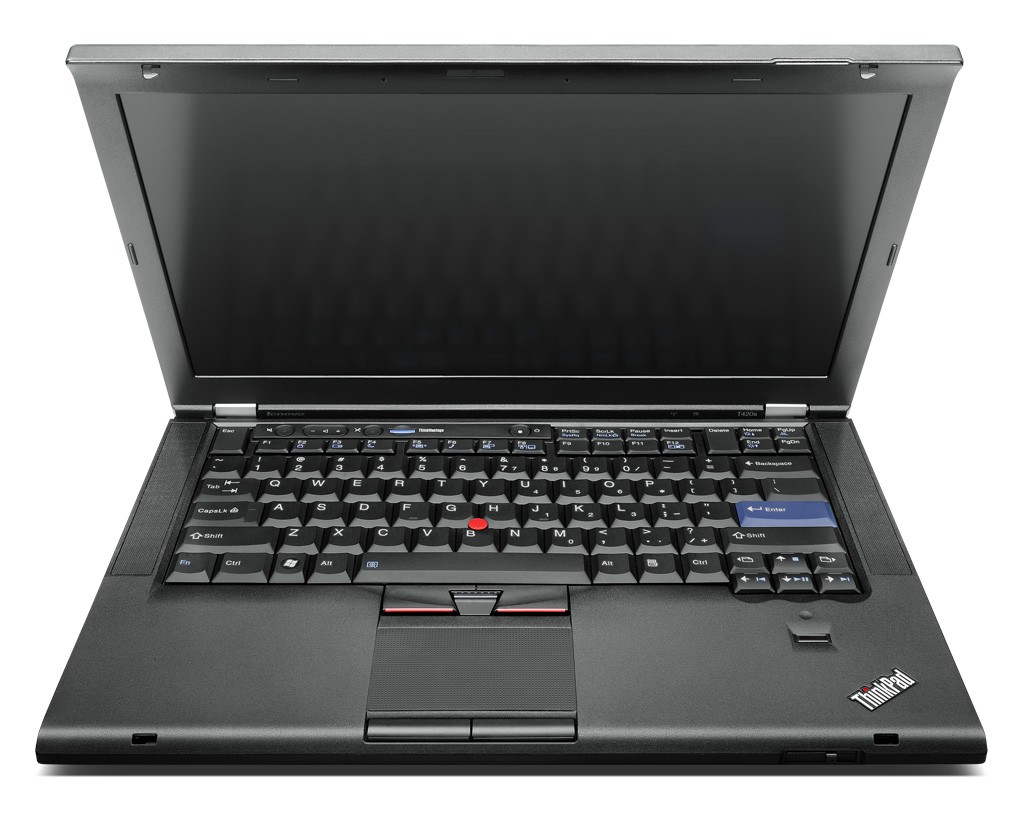
ThinkPad T420s
Anybody who's been following me here knows I have a bias toward ThinkPads. I had been using an off-lease T43 for a while but it started off (for me) with a pinky display and wouldn't run Windows 7 Aero.
Over the Black Friday weekend I lurked at the Lenovo Outlet site. They had some incredible deals but they came and went pretty quick. One of the deals that caught my eye was a T420s. I grabbed it and put it in my shopping cart but thought better and removed it. It immediately disappeared! That told me that it was a good deal. I hung around there a while longer pressing F5 every few seconds and it came back! This time I didn't hesitate. I bought it and then started trying to figure out what I'd bought.
What it was was a 3.7 lb. (the "s" in T420s stands for "slim") Intel Core i5-2540M (2.6GHz) with Windows 7 Pro. It came with 4GB RAM (which I'll upgrade to 8GB) and a 128GB SSD. It has a 14" screen (1600 x 900) and a 720p web cam. It's got a DVD burner and Bluetooth in addition to the expected Gigabit Ethernet and 802.11n wireless.
Being a "T" series it was mostly clean of crapware so my first inclination was to just go with the Lenovo image.
But after a couple of days I began to notice that I was using 80% of real memory and had almost 120 processes running. That compares to the X100e that uses less than 50% of 2GB and has less than 50 processes running. I'm not sure that's apples to apples but it certainly is an indicator.
Recently I did a clean install of Windows 7 Pro using Lenovo's instructions. I tried to do this using the UEFI feature as described here but it doesn't look like that worked.
Regardless the T420s is a lot cleaner now. It's under 80 processes and less than 50% memory utilized.
Over the Black Friday weekend I lurked at the Lenovo Outlet site. They had some incredible deals but they came and went pretty quick. One of the deals that caught my eye was a T420s. I grabbed it and put it in my shopping cart but thought better and removed it. It immediately disappeared! That told me that it was a good deal. I hung around there a while longer pressing F5 every few seconds and it came back! This time I didn't hesitate. I bought it and then started trying to figure out what I'd bought.
What it was was a 3.7 lb. (the "s" in T420s stands for "slim") Intel Core i5-2540M (2.6GHz) with Windows 7 Pro. It came with 4GB RAM (which I'll upgrade to 8GB) and a 128GB SSD. It has a 14" screen (1600 x 900) and a 720p web cam. It's got a DVD burner and Bluetooth in addition to the expected Gigabit Ethernet and 802.11n wireless.
Being a "T" series it was mostly clean of crapware so my first inclination was to just go with the Lenovo image.
But after a couple of days I began to notice that I was using 80% of real memory and had almost 120 processes running. That compares to the X100e that uses less than 50% of 2GB and has less than 50 processes running. I'm not sure that's apples to apples but it certainly is an indicator.
Recently I did a clean install of Windows 7 Pro using Lenovo's instructions. I tried to do this using the UEFI feature as described here but it doesn't look like that worked.
Regardless the T420s is a lot cleaner now. It's under 80 processes and less than 50% memory utilized.
Saturday, January 07, 2012
Those Are Standard Aren't They
One of my co-workers came into the office after the holidays with a shiny new Samsung Galaxy S II. As we sat around the table after our meeting I noticed that he had the phone USB connected to his laptop. His previous phone (HTC G1) always needed charging so I asked him if he was charging the new one out of habit. He said no that he was trying to connect the phone to the laptop but couldn't find a driver.
My experience with every smart phone except iPhones is that you didn't need a driver to connect the phone to a PC as a USB drive. He wanted me to show him how I connected so he brought me his USB cable and phone. When I plugged it all in I got a complaint from Windows that it was an "Unrecognized device." Hmmm.
Then I plugged my Captivate in with his cable. Same thing. That invoked the "Those are standard aren't they?"
Well they should be but they aren't.
I recently encountered a similar problem when the OEM charging cable for my Captivate got stepped on. I ordered the first $.99 micro-USB cable I could find. It fit fine into the tight connector on my Captivate and the battery icon changed to charging. But the next morning the battery was only at 70%.
Here's what the charging screen looks like connected to the generic cable.
Notice that it says "Charging(USB)." That's why it was taking so long to charge.
Back to Google and I found a Samsung OEM charging cable on eBay. It came quickly and fixed the problem.
Here's what it looks like connected with the Samsung cable.
Notice that it says "Charging(AC)."
Yeah, USB cables should be standard but obviously they aren't.
My experience with every smart phone except iPhones is that you didn't need a driver to connect the phone to a PC as a USB drive. He wanted me to show him how I connected so he brought me his USB cable and phone. When I plugged it all in I got a complaint from Windows that it was an "Unrecognized device." Hmmm.
Then I plugged my Captivate in with his cable. Same thing. That invoked the "Those are standard aren't they?"
Well they should be but they aren't.
I recently encountered a similar problem when the OEM charging cable for my Captivate got stepped on. I ordered the first $.99 micro-USB cable I could find. It fit fine into the tight connector on my Captivate and the battery icon changed to charging. But the next morning the battery was only at 70%.
Here's what the charging screen looks like connected to the generic cable.
Notice that it says "Charging(USB)." That's why it was taking so long to charge.
Back to Google and I found a Samsung OEM charging cable on eBay. It came quickly and fixed the problem.
Here's what it looks like connected with the Samsung cable.
Notice that it says "Charging(AC)."
Yeah, USB cables should be standard but obviously they aren't.
Wednesday, January 04, 2012
Get Real AT&T
I've been with AT&T since Suncom was bought by Cingular was bought by BellSouth was bought by AT&T. I've been fortunate enough to live and travel in areas where their coverage has been good. I even had a good experience with my recent international travel.
Recently I have been hankering to be able to get on the Internet with tablets while in the car. There seem to be two alternatives. I could enable the hot spot capability on my Captivate or buy a MiFi device.
So today I stopped by the local AT&T (corporate) store and told the representative that I was interested in adding a tethering plan to my Captivate. He tried to sell me DSL! I got him back on track. I have a $25/month unlimited data plan and $5/month 200 text message plan for a total of $30/month. Obviously I want to protect the unlimited plan and the 200 text messages are fine as I mostly use Google Voice for texting.
He said that I'd have to go to a $45/month data plan with 4GB and a $20/month unlimited text message plan for a total of $65/month, an increase of $35/month and losing unlimited data.
I asked him about a MiFi-type device. He said AT&T has a Sierra Wireless AirCard 754S for $69.99 that requires a $50/month 5GB data plan.
For comparison I looked at C Spire. They have a Novatel MiFi 2200 free with a $19.99/month data plan with 1GB, $29.99/month with 2GB. I realize that the AT&T device is LTE and the C Spire device is EV-DO Rev. A and that the AT&T is plan is 5GB and the C Spire plan is 1GB but still...
Get real AT&T!
Recently I have been hankering to be able to get on the Internet with tablets while in the car. There seem to be two alternatives. I could enable the hot spot capability on my Captivate or buy a MiFi device.
So today I stopped by the local AT&T (corporate) store and told the representative that I was interested in adding a tethering plan to my Captivate. He tried to sell me DSL! I got him back on track. I have a $25/month unlimited data plan and $5/month 200 text message plan for a total of $30/month. Obviously I want to protect the unlimited plan and the 200 text messages are fine as I mostly use Google Voice for texting.
He said that I'd have to go to a $45/month data plan with 4GB and a $20/month unlimited text message plan for a total of $65/month, an increase of $35/month and losing unlimited data.
I asked him about a MiFi-type device. He said AT&T has a Sierra Wireless AirCard 754S for $69.99 that requires a $50/month 5GB data plan.
For comparison I looked at C Spire. They have a Novatel MiFi 2200 free with a $19.99/month data plan with 1GB, $29.99/month with 2GB. I realize that the AT&T device is LTE and the C Spire device is EV-DO Rev. A and that the AT&T is plan is 5GB and the C Spire plan is 1GB but still...
Get real AT&T!
Monday, January 02, 2012
Microsoft Security Essentials v4
I've been an early adopter of Microsoft Security Essentials. Back in November 2011 I signed up for the beta of Security Essentials v4.
Microsoft's "What's New" for v4 includes:
When Microsoft sent me the invitation to download I downloaded and installed it on my "BenInTheDen" laptop. This is my workhorse PC and it is exposed to lots more sites and programs than all my other PCs put together. After installation I let it update the signatures and then requested it run a full scan.
It found and removed 2 instances of malware that had not been found by the current Security Essentials. That's the last bullet above.
I'm now running it everywhere. You can download the beta version at Softpedia. I suggest you do that right away.
Microsoft's "What's New" for v4 includes:
- Enhanced protection through automatic malware remediation: The Beta program will clean highly impacting malware infections automatically, with no required user interaction.
- Enhanced performance: The Beta includes many performance improvements to make sure your PC performance isn’t compromised.
- Simplified UI – Simplified UI makes Microsoft Security Essentials Beta easier to use.
- New and improved protection engine: The updated engine offers enhanced detection with cleanup capabilities and better performance.
When Microsoft sent me the invitation to download I downloaded and installed it on my "BenInTheDen" laptop. This is my workhorse PC and it is exposed to lots more sites and programs than all my other PCs put together. After installation I let it update the signatures and then requested it run a full scan.
It found and removed 2 instances of malware that had not been found by the current Security Essentials. That's the last bullet above.
I'm now running it everywhere. You can download the beta version at Softpedia. I suggest you do that right away.
Thursday, December 29, 2011
International Celluar Plans
Recently my wife and I traveled to Italy for 10 days. In preparation I did a lot of research on international cellular plans and costs. I am an AT&T customer and to put this at a point in time, most of my research took place in September 2011.
Plan A was to acquire a local SIM card in Italy and use that for wireless voice and data. I didn't really foresee a lot of voice requirements but data is always nice for e-mail and, while on foot in a foreign city, GPS/mapping data.
While this is mechanically simple (just pop in a SIM from an in-country provider) it turned out to be harder than that. First all the in-country provider web sites are in the local language, in this case Italian. Google's translation capability left a lot to be desired in the subtleties of cellular terms and conditions.
Second AT&T could not get my Captivate unlocked (required for a non-AT&T SIM). They even referred me to Samsung who couldn't accomplish this either. You should be careful when attempting this in that there is a limit on the number of unsuccessful unlock attempts (reportedly less than 10) allowed before the phone can never be unlocked. AT&T recognized this and said they would replace the phone (with another locked) phone if they reached this point.
Anyway, we all gave up before the phone was permanently locked. At that point I escalated to a manager at AT&T and they offered a reasonable alternative. They applied a $100 credit to my account to cover the cost of AT&T international coverage while I was in Italy. That seemed more than fair and I accepted their offer.
In the meantime, a friend of mine had a Vodafone SIM and I had the unlock code so ... I put the Vodafone SIM in my Captivate and turned it on. It asked for the unlock code and I entered the code that AT&T had given me. Bingo! That worked.
But back to Plan B.
Here's what I found when I researched the international rates in Italy for AT&T.
World Traveler (Voice) $5.99/month + usage - break-even is 15 minutes (15 * $.40 - $6)
Voice $.99 vs. $1.39, Text $.50
Global Messaging $10/month - break-even is 20 texts (20 * $.50 - $10)
50 text included
International Data $24.99/month for 50MB or $49.99 for 125MB
This link will get you to all of the plans above. And this link will get you voice rates per minute by country by plan. Just in case I've include screen shots of what was there when I was looking.
Each of these features can be pro-rated for a partial month but the way that they are applied varies, e.g. Global Messaging kicks in on the first day of your billing month and International Data turns on and off day by day.
Anyway I went with these 3 features and got the 125MB International Data plan. This would have been a total of around $66 plus $.99 per minute for voice if I let them run for a full month.
How'd it turn out? I used just a few minutes of voice so I probably would have been better to go without the $5.99 uplift and have paid the extra $.40 per minute but it would have been close.
Same with texting. I'm not a big texter so I used less than the break-even 20 texts. Again, it would have been close and having a 50 text allowance made me not worry.
Both hotels we stayed in had free Wi-Fi (more in a little) so I used Wi-Fi when we were in the hotels. Since the International Data plan is pro-rated I called AT&T a couple of days after we returned to get my international data usage. The representative didn't have this readily but called back in a couple of hours with the data. With the Wi-Fi in the hotels I only used about 35MB of cellular data so I canceled the International Data plan and the charges and data allowance were pro-rated.
Overall, my AT&T charges were less than $66 even including the per minute voice charges. This $66 was against the $100 credit from AT&T so I was good.
Using AT&T's international offerings was a good deal for me (frankly even without the credit) and not having to fool with unlocking and a non-AT&T SIM.
Now, for the rest of the story.
While both hotels I stayed in had free Wi-Fi each was problematic in its own way. The first iQ Hotel Roma has wireless but you had to have an ID and password issued by the front desk. This required a login page be executed by the browser. I don't know about you but I often have trouble getting these pages up on my various Android devices. And each ID/password combination was limited to a single MAC address at a time. For example, if I was using Wi-Fi on my phone, my wife couldn't use the Nook to access her e-mail. The front desk would issue you more than one ID/password combination so it wasn't the end of the world. The Wi-Fi worked really well throughout the building including the roof garden.
The second hotel Arpaiu advertised Wi-Fi in all rooms but that wasn't so. It only worked upstairs in the common area. For a 1,000 year old building in the middle of nowhere that actually was pretty good. But it did mean that you had to get dressed and climb up 2 flights to check your e-mail.
Looking back I think that next time I'll try to get a local SIM card with a data plan. Not so much because it would be cheaper but because I could use that 3G data instead of the hotels' Wi-Fi. I'd need to enable access point mode on my phone to make that apples to apples. Figuring out how to do that over the web in a foreign language wouldn't be easy so I'd need to dedicate some time when I arrive to get all that working.
If your travel involves more than one country stick with the AT&T plans.
Note that there are a couple of things that you need to do with your phone. Turn off background data. On my Captivate I go to "Settings," "Accounts and Sync" and uncheck "Background data." This means that you'll have to initiate a refresh with each application. Next turn on data roaming. On my Captivate I go to "Settings," "Mobile Networks" and check "Data roaming." This will let you roam for data onto the foreign networks. Make these changes in this sequence on your phone when you arrive at the foreign destination. On departure do these in reverse at the foreign airport.
Send me pictures from your trip!
Plan A was to acquire a local SIM card in Italy and use that for wireless voice and data. I didn't really foresee a lot of voice requirements but data is always nice for e-mail and, while on foot in a foreign city, GPS/mapping data.
While this is mechanically simple (just pop in a SIM from an in-country provider) it turned out to be harder than that. First all the in-country provider web sites are in the local language, in this case Italian. Google's translation capability left a lot to be desired in the subtleties of cellular terms and conditions.
Second AT&T could not get my Captivate unlocked (required for a non-AT&T SIM). They even referred me to Samsung who couldn't accomplish this either. You should be careful when attempting this in that there is a limit on the number of unsuccessful unlock attempts (reportedly less than 10) allowed before the phone can never be unlocked. AT&T recognized this and said they would replace the phone (with another locked) phone if they reached this point.
Anyway, we all gave up before the phone was permanently locked. At that point I escalated to a manager at AT&T and they offered a reasonable alternative. They applied a $100 credit to my account to cover the cost of AT&T international coverage while I was in Italy. That seemed more than fair and I accepted their offer.
In the meantime, a friend of mine had a Vodafone SIM and I had the unlock code so ... I put the Vodafone SIM in my Captivate and turned it on. It asked for the unlock code and I entered the code that AT&T had given me. Bingo! That worked.
But back to Plan B.
Here's what I found when I researched the international rates in Italy for AT&T.
World Traveler (Voice) $5.99/month + usage - break-even is 15 minutes (15 * $.40 - $6)
Voice $.99 vs. $1.39, Text $.50
Global Messaging $10/month - break-even is 20 texts (20 * $.50 - $10)
50 text included
International Data $24.99/month for 50MB or $49.99 for 125MB
This link will get you to all of the plans above. And this link will get you voice rates per minute by country by plan. Just in case I've include screen shots of what was there when I was looking.
Each of these features can be pro-rated for a partial month but the way that they are applied varies, e.g. Global Messaging kicks in on the first day of your billing month and International Data turns on and off day by day.
Anyway I went with these 3 features and got the 125MB International Data plan. This would have been a total of around $66 plus $.99 per minute for voice if I let them run for a full month.
How'd it turn out? I used just a few minutes of voice so I probably would have been better to go without the $5.99 uplift and have paid the extra $.40 per minute but it would have been close.
Same with texting. I'm not a big texter so I used less than the break-even 20 texts. Again, it would have been close and having a 50 text allowance made me not worry.
Both hotels we stayed in had free Wi-Fi (more in a little) so I used Wi-Fi when we were in the hotels. Since the International Data plan is pro-rated I called AT&T a couple of days after we returned to get my international data usage. The representative didn't have this readily but called back in a couple of hours with the data. With the Wi-Fi in the hotels I only used about 35MB of cellular data so I canceled the International Data plan and the charges and data allowance were pro-rated.
Overall, my AT&T charges were less than $66 even including the per minute voice charges. This $66 was against the $100 credit from AT&T so I was good.
Using AT&T's international offerings was a good deal for me (frankly even without the credit) and not having to fool with unlocking and a non-AT&T SIM.
Now, for the rest of the story.
While both hotels I stayed in had free Wi-Fi each was problematic in its own way. The first iQ Hotel Roma has wireless but you had to have an ID and password issued by the front desk. This required a login page be executed by the browser. I don't know about you but I often have trouble getting these pages up on my various Android devices. And each ID/password combination was limited to a single MAC address at a time. For example, if I was using Wi-Fi on my phone, my wife couldn't use the Nook to access her e-mail. The front desk would issue you more than one ID/password combination so it wasn't the end of the world. The Wi-Fi worked really well throughout the building including the roof garden.
The second hotel Arpaiu advertised Wi-Fi in all rooms but that wasn't so. It only worked upstairs in the common area. For a 1,000 year old building in the middle of nowhere that actually was pretty good. But it did mean that you had to get dressed and climb up 2 flights to check your e-mail.
Looking back I think that next time I'll try to get a local SIM card with a data plan. Not so much because it would be cheaper but because I could use that 3G data instead of the hotels' Wi-Fi. I'd need to enable access point mode on my phone to make that apples to apples. Figuring out how to do that over the web in a foreign language wouldn't be easy so I'd need to dedicate some time when I arrive to get all that working.
If your travel involves more than one country stick with the AT&T plans.
Note that there are a couple of things that you need to do with your phone. Turn off background data. On my Captivate I go to "Settings," "Accounts and Sync" and uncheck "Background data." This means that you'll have to initiate a refresh with each application. Next turn on data roaming. On my Captivate I go to "Settings," "Mobile Networks" and check "Data roaming." This will let you roam for data onto the foreign networks. Make these changes in this sequence on your phone when you arrive at the foreign destination. On departure do these in reverse at the foreign airport.
Send me pictures from your trip!
Subscribe to:
Posts (Atom)