Sunday, March 02, 2014

You And The Horse You Rode In On

Background...

Back before Fall 2013 here's what Chrome's New Tab Page looked like:


There's a selection at the bottom center that let's you choose whether you want to see "Most visited" or "Apps." This screen capture shows the "Apps." At the bottom right are choices for "Other devices" and "Recently closed."

I was a big user of "Other devices" as I would use this to go pick up a page that I had left open on one of my other devices.

The cursor was placed in the Omnibox ready to enter a search string.

After Fall 2013 Google replaced the New Tab Page:


The top half of the screen is a Google doodle and a search field. But the cursor is still placed in the Omnibox ready to enter a search string. And the choice of "Most visited" or "Apps" is gone with only "Most visited" displayed. "Apps" is a link at the top left.

"Other devices" and "Recently closed" are in the "hamburger" menu at the top right.

Not much of this mattered to me except that the new "Other devices" list only contains 4 entries per device.

But it was possible to reinstate the previous New Tab Page by setting a flag in chrome://flags/.


So I set this and moved on.

But Google has a way of jumping up and biting you.

In v33 of Chrome the option in chrome://flags/ is gone and there is no alternative to the new New Tab Page.

That this has caused quite an uproar is an understatement.

The Google Chrome team's response has been very reminiscent of the Firefox team several years ago. Remember what has happened to Firefox's usage share since then.

Then the leader of the Google Chrome team responded.


Not a very friendly response to say the least.

Scroll up in the above thread to see how this was raised in the pre-stable releases. And Google's total non-response other than locking the threads.

In the end it looks like the function that I want ("Other devices") is still available on the History page.

I think that this is another instance of Chrome deprecating old APIs for future function or compatibility as I discussed here. A little transparency on the part of Google would have really helped.

Oh, the title of this post? Read here.

Sunday, February 23, 2014

Rock, Meet Hard Place

One of my favorite Microsoft pundits Paul Thurrott had a post recently on the future of Windows. I borrowed his summary for the title of this post. Microsoft has found itself between a rock and a hard place.

Since Windows XP Service Pack 3, Windows has been "good enough" for desktop users. Microsoft is going to finally kill off XP by abandoning security updates for it. Certainly they will do the same for Windows 7. That's already set for January 14, 2020. If only Microsoft had a "hook" for obsolescence like Intuit does with Quicken.

But Microsoft has a bigger plan if it succeeds. They are trying to converge the various consumer devices onto a single software platform.

Stepping back a for a moment, I see three mainstream consumer computing platforms today: Apple, Google, and Microsoft.

Apple clearly has their walled garden, i.e. iCloud, but seem to be some way away from converging Mac OS and iOS. And they are determined to be a sole source.

Google has their "Let one thousand flowers bloom" platform, i.e. Android, but this may be moving somewhat to their own walled garden. It wouldn't surprise me if the platform turned out to be Chrome rather than Android but that's another discussion.

Microsoft has the legacy platform, Windows, and their challenge is to transition to an ongoing platform. This is what the Metro Modern user interface (UI) is all about.

But the Modern UI is just the user interface. They key to the success of the platform is the platform. Can Microsoft converge the underpinnings of the three screens?

Obviously desktop Windows has a foothold but consumers aren't lining up for the current Windows 8 product. Windows Phone is making slow but steady inroads. Windows RT is all but dead.

The enterprise market is a completely different question. Windows Server and Linux have the server market locked. Same with desktop Windows.

The enterprise questions are "Is Microsoft going to push Modern UI so hard that enterprises rebel? Can they rebel?" There doesn't seem to be a serious alternative today.

I wonder if Chrome is the alternative. It's certainly a ways out in the future but it's cloud-based and hardware agnostic.

The real money for the IT vendors is in the backends. What will Chrome talk to? Windows Server? Linux? Unix? OpenStack?

Stay tuned for further updates...

Sunday, February 16, 2014

OBiVoice

Remember in this post I said that there was another twist coming in my VoIP saga? Just after I had gotten my OBi100 up and working Obihai posted this on their blog.
Unfortunately, (after May 15, 2014) you will no longer be able to use the Google Voice communication service to make calls using the phone connected to your OBi device. Also, the ability to receive calls to your Google Voice number, directly from Google’s service, will not be possible.
Well, that burst my balloon. I decided to just ignore it for a while.

Then I found a thread on the OBiTALK forums that mentioned OBiVoice. They are part of Intelafone. Their BYOD (using OBi100) lite plan is $24.99 per year. This includes E911, free voicemail, free Caller ID, and 500 incoming/outcoming minutes/month. Their basic plan is $39.99 and has 2000 incoming/outcoming minutes/month.

I signed up for their free trial for 60 minutes over 30 days. While they are not an "approved service provider" with OBiTALK, OBiVoice has a simple copy and paste guide to setup the OBi100.

I went into the OBiTALK portal to put OBiVoice into the Service Provider 2 (SP2) slot. The instructions are here. Basically all you have to do is copy/paste the information from OBiVoice into OBiTALK.
(06:58:26) *** Ben Moore joined the chat ***
(06:58:26) Ben Moore: I'm setting up my OBi100. I'm looking at https://www.obivoice.com/byod.php. It has User Name as XXXX. Is that what I put in OBiTALK?
(06:58:29) *** Andrew joined the chat ***
(06:58:36) Andrew: Thank you for contacting Obivoice Customer Support. I am currently reviewing your question and will provide you with an answer momentarily.
(06:59:06) Andrew: Yes you can either put in the SIP credentials or use the automatic setup tool from that page.
(06:59:38) Ben Moore: The automatic setup page resets my device. I'm trying to add OBiVoice as SP2 on my OBi100.
(06:59:45) Ben Moore: Where do I get the SIP credentials to use?
(07:00:05) Andrew: On the Softphone/BYOD page of your web portal, under the Devices category.
(07:00:16) Ben Moore: Gotcha. Will do. Thanks.
(07:00:22) Andrew: Is there anything else I can help you with today?
(07:00:36) Ben Moore: Not so far. Seems easy.
(07:00:45) Andrew: Let me know if you have any trouble with it!
(07:00:46) Andrew: Thank you for contacting Obivoice Customer Support and have a wonderful rest of your day! [We appreciate your feedback. If you would like to rate this Support Chat today, please select one of the options below by clicking on the bullet point. Thank you!]
(07:00:50) Ben Moore: I found this assistance helpful.
(07:00:53) Andrew: [Thank you for your feedback. If you have any other questions please feel free to contact us back as we would be happy to assist you!]
(07:00:56) *** Andrew left the chat ***
(07:32:40) *** Ben Moore left the chat ***
Look closely at the time stamps. The representative joined the chat in THREE SECONDS. The whole transaction took 2 1/2 minutes. Customer service doesn't get much better than that.

OBiVoice has worked fine on the OBi100.

OBiTALK announced their approved service provider on 02/11/14. Their partner is Anveo. The basic offering is $39.99 per year. This includes free incoming calls, E911, free voicemail, free Caller ID, and 250 outgoing minutes/month.

I looked at my Google Voice log of minutes and I had used just under 800 incoming/outcoming minutes in the last month so I didn't think that 250 outgoing minutes would be enough.

I went with OBiVoice's basic plan. $40/year is still way less than the $50/month I was paying AT&T. I'm not porting my Google Voice number but just forwarding it to OBiVoice and spoofing the Caller ID to my Google Voice number.

Every Man and His Dog

<rant>
I took my wife to the doctor recently. He's a distant cousin and we've been using him as our family doctor for decades. A couple of years ago his practice was bought by one of the local hospital systems. I realize all the reasons that that is happening but it has clearly had a negative impact on the service.

When we checked in they gave her a clipboard with several sheets to fill out and sign. They had to have had all the information for years beforehand.

But this time there was a place to sign that you had been given a copy, read and agreed with their Privacy Policy. In the stack of documents was a 15 page "JOINT NOTICE OF PRIVACY PRACTICES."

Now they've pretty well got you in a corner. You came to them because you're sick and they won't treat you until/unless you sign. It's not likely that you're going to read those 15 pages carefully as you sit there sick. And even if you do and don't like something, you'll probably just go along to see the doctor.

Here's the first page.


Not too bad you say?

In bold, underlined and all caps it says: PERSONS/ENTITIES COVERED BY THIS NOTICE

There there are 2 bullet items.
  • All employees, staff, and other Health System personnel;
  • The following entities, sites and locations:

Followed by the name and location of the clinic.

Not too bad. Those are the people you are about to see anyway. And notice that the first line ends with a semicolon and the second line ends with a colon. There's no suggestion that there's more to that list.

But wait, there's more.

Here's the second page.


As the Brits would say that includes "Every man and his dog."

But none of this really matters. On page 15 it says "We reserve the right to change the Notice" without notice to you by posting it in their facilities and on their website.

Thank you, she's doing much better now.
</rant>

Sunday, February 09, 2014

Dropbox Inbox

I'm a big user of Dropbox. It's not that it's especially better than the alternatives but it was one of the first cloud storage solutions that really got traction and subsequently it's widely incorporated in other applications.

Enough of the Dropbox soapbox.

If you're a Dropbox user I'm sure you wished everyone else was so you could readily just share folders with them.

Here's the next best thing.

dbinbox says it best themselves.
dbinbox makes it easy to send files

Pick a username, link dbinbox with your Dropbox account, and share your personal dbinbox link (dbinbox.com/your_username) with people that want to send you files.
That's it. Just give your dbinbox link to somebody and they can simply drag and drop files to a web page.


Sunday, February 02, 2014

FilesBeforeVersion - Part 2

Years ago as I was moving to the new UI for Office 2007 I ran across a situation where Office quit supporting some of the older versions of Office files that used the binary file formats, e.g. Word 1.

Some Googling turned up a messy registry hack but you only had to do it once.

I recently moved my wife from Windows XP and Office 2003 to Windows 7 and Office 2010. As luck would have it the very first night she had a problem with old versions of Word files.

She had gotten some old Word files from where she volunteers. She just wanted to print one of them and got a message that she wasn't allowed to print due to "policy."
Protected View.  Printing has been disabled for this file due to your policy settings.
You and I would think that the "policy" referred to was some administrative, e.g. group policy, but NO. That's just Microsoft's arbitrary "policy."

Here's how to relieve that.


In the "Print" dialog, click on "Options."


Then click on "Trust Center" and then "File Block Settings." Uncheck the versions you want to use and click on "OK."


Sunday, January 26, 2014

Google Plus Photos AND Videos

I've had a couple of prior posts on Google Plus Photos here and here. Overall not much has changed since my last post but I've made more progress in how to use Google Plus Photos.

When I'm taking photos I tend to take both stills and videos. As I noted in this post videos up to 15 minutes don't count against your Google space quota (nominally 15GB).

But Google Plus Photos doesn't have the editor functions of YouTube which are pretty nice. Without that all you can do is put the unedited videos into Google Plus Photos.

So my idea was to use YouTube to edit the video and then download it and upload it to Google Plus Photos. But YouTube doesn't have a download function.

I have played with web sites such as keepvid.com but they required Java in the browser which I avoid.

Recently I came across ClipConverter. This is entirely web-based and fast.

After you've used the YouTube editor publish the video and then go to ClipConverter.

Enter the URL of the YouTube video and chose what output format you want.


Click on "Continue" and select what resolution you want. Why not HD? You can specify the output file name here and change the output format. You can even specify the timecode of the start and finish. Then click on "Start."


Quickly you'll get a screen with a "Download" link. Download it to your PC.


Then upload it as normal to Google Plus Photos.

Even better, in the Google Plus Photos album view you see an animated gif of snapshots from the video rather than just a still frame like YouTube.

Sunday, January 19, 2014

Google Docs Gadget - Part 2

I've been getting inquiries about my post on Google Docs Gadget. I think I've made some progress.

First you have to add the Lab "Add any gadget by URL". In your Gmail, click on the gear at the top right and choose "Settings". In the blue list at the top of the page should be "Labs". Click on that and find "Add any gadget by URL". Check "Enable" and then click on "Save Changes" at the top or bottom.


The next question is how to create the XML file.

Copy all the text below by clicking anywhere in the box and pressing CTRL and A.


Then press CTRL and C. Start Windows Notepad. Press CTRL and V. Now press ALT and F4 and click on "Save". Navigate to the desktop and save as "Google Docs Gadget.xml".

The last question is where to put this file so you can reference it as a gadget.

Login to your Gmail. Open a new tab and go to "sites.google.com". There may be a name to the immediate right of the red box "CREATE". If so click on that name.


If not, click on "CREATE", leave "Blank template" selected, enter a name for the site, enter the captcha, and click on "CREATE" at the top.

Now click on the "More" button at the top right and choose "Manage site".


In the left column click on "Attachments".


Click on "Upload" at the top left and upload the file you created above.


When the upload is complete, right click on "Download" to the right of the file name and copy the URL.


Go back to your e-mail and click on the gear at the top right and choose "Settings".


In the blue list at the top of the page should be "Gadgets". Click on that and paste the copied URL into "Add a gadget by its URL". WAIT. Erase the end of the URL back to ".xml". Now click "Add".


That should do it.

Sunday, January 05, 2014

CrashPlan

I've been using Tivoli Continuous Data Protection for years. I've been through 2 versions as I moved from Windows XP to Windows 7 64-bit but it's worked perfectly every day. The local backup is on a separate internal hard drive. The remote backup is in a TrueCrypt container on a 1TB USB 3.0 drive that I keep outside the house. I also keep system images on that drive.

I'd been lusting after Carbonite and even recommended it to my daughter and her husband. He became a big fan with hundreds of gigabytes.

But I had been limited by the upload speeds of my DSL connection. Well, DSL is no longer part of my life!

So I revisited Carbonite. In my research I came across several competitors: Backblaze, CrashPlan, SpiderOak, etc.

CrashPlan stood out to me as it allows you to provide your own offsite backup at no cost and without the long initial upload phase. And it's TNO (Trust No One). Their instructions are here. I did that. It works perfectly.

I seeded my backup folder onto a 500GB USB drive. 200+ GB took just over 6 hours. Then I took it to my mother's. I plugged it into a backpanel USB port so she wouldn't see it and unplug it!

Here're screenshots of my CrashPlan configuration and history log.


On the "Restore" screen you can see that the file XMASNAMES2013.doc has several versions in the backup set. The line near the bottom has clickable links where you can specify which version to restore, where to restore to, and whether to overwrite or not.


On the "Settings / Security" screen you can specify your own encryption key.


On the "History" screen you can see that it is backing up every 15 minutes during the trial period.


You can see an interesting impact on my bandwidth. On 01/01/14 I began downloading 2 Windows 7 ISO files. They didn't complete until early morning on 01/02/14. Each was about 3GB. Not thinking I put them on my desktop which is included in my CrashPlan backup set. Subsequently CrashPlan uploaded those ISO files to my offsite system.


CrashPlan worked great for a couple of days and then started complaining that it couldn't reach the remote system. I hadn't changed anything.

After several fruitless exchanges with CrashPlan support I turned to Google and found this thread on DSLReports.com. I began a dialog with one of the participants and he showed me what I needed to do.

All that was necessary was to open port 4242 on each of the routers and forward them to the appropriate system. A day or so after doing that and rebooting both systems CrashPlan was back working fine. Longer term I'm going to move the port 4242 activity to another less well known port. There's a setting in CrashPlan to do that.

Here are a couple of days of logs from both ends.


SERVER is the system being backed up and BYHALIA is the receiving system. While they are mutual backup targets of each other I don't have anything specified on BYHALIA to backup. (I have the user data on the BYHALIA system residing inside the Dropbox folder.)

I don't have CrashPlan's bandwidth throttled (which is possible) but the BYHALIA system's bandwidth is only 3Mbps.

It's also interesting to observe how CrashPlan minimizes the data transferred. On 01/30/14 at 12:12 AM it needed to backup 1 file of 260.70KB yet the data transferred was only 1KB. This is probably too much of a reduction for compression so CrashPlan must either be doing deduplication or block level backups.

From these logs it is apparent that CrashPlan only backs up once a day to remote folders. The early more frequent backup is when I finally got the port open between the two systems.

Tivoli is running fine so I see no need to abandon it. I may look at using CrashPlan's cloud offering to make some of my data available on my mobile devices.

Let's go through some scenarios.

Scenario 1: The USB hard drive at my mother's crashes.

I buy another USB drive and re-seed my backup folder. Then I take the new USB drive to my mother's and attach it.

Scenario 2: The computer at my house disappears.

I acquire a new PC and restore my system image backup (not from CrashPlan). Then I go to my mother's and get the USB drive and take it home. I attach that drive and the associated CrashPlan folder to my new PC and restore everything.

This is all in addition to my Tivoli backups.

Belt, suspenders, and raincoat.

Sunday, December 29, 2013

Salt and Pepper

Every now and then my propeller beanie comes out.


Here I go again.

Several years ago I shared my short list of requirements of a browser. Subsequently I've switched to Chrome and been quite happy.

But recently as I setup a new PC one of my favorite extensions Google Toolbox (by Google) didn't meet the third item on my short list: Close tabs when I double click them.

I thought it was just something I'd failed to set in the options so I went through them again. it still didn't close tabs when I double clicked them.

So I went to the Google Toolbox page in the Chrome Store. There were a couple of reviews that suggested that something was askew. (The page now gives "An error occurred: Item not found. This item may have been removed by its author."


So I searched the Chrome Store looking for alternatives. Google Toolbox was really much heavier than I really needed anyway and had caused problems with YouTube recently.

I came across "Double Click Closes Tab." It uses a double click ON the web page to close the tab. Not a double click on the tab. That's not what my muscle memory is. But in reading the description I think I've figured out what's going on with Google Toolbox.
To those wanting "double click on tab to close" - Google now made its own extension to do that and more. It uses a plugin mechanism that uses compiled binary code and presents a security risk unless you're sure you can trust the author (of course coming from Google it's likely fine). Without using such mechanism, Chrome extensions cannot receive tab events. Google's extension is called Chrome Toolbox.
The emphasis is mine.

I'm not a developer (unless you consider S/360 assembler development!) but this suggests that Google Toolbox was using NPAPI rather than PPAPI. Put yourself to sleep here with the details. It is so Google to have a technology PPAPI (Pepper Plugin API) that uses Native Client (NaCL). Think about it.

I first ran into the NPAPI vs. PPAPI issue back here with Flash. Chrome's page says "NPAPI is being phased out. Consider using alternatives."

I believe that this is a deliberate effort on Google's part to remove all the NPAPI extensions from Chrome. This goes beyond security though. This is a platform issue. Remember back in 2011 when I tried a Chromebook? One of my observations (whines?) was that the Google Chrome Toolbox extension for the Chromebook didn't support "Double click on a tab to close it." I missed the significance of that.

There's a post in the Google Chrome Extension Development forum calling for a non-NPAPI version. In this era of Google's "Spring Cleaning" that's not likely to happen. And as to my short list item of wanting to close tabs when I double click them that's not going to happen either. Apparently handling a click on Chrome's "chrome" (i.e. the tab proper) isn't supported by PPAPI. And that's probably not a bad thing.

There are threads in the Google Chrome forums here and here that you can follow but don't expect any relief. I just wish that Google was more transparent about things like this. Simply updating the Google Chrome Toolbox page in the Chrome Store would have answered all these questions and put Chrome users into looking forward rather than looking backwards.

Sunday, December 22, 2013

OBi OMG

I continue to be amazed by the OBi100. In my transition to VoIP I lost some minor features of my POTS service. One of these was that I had AT&T's Ring Master Service.
RingMaster service enables two or three telephone numbers to share one line. A unique ringing pattern is provided for each of the additional numbers. This allows a customer to determine prior to answering a call, which number the calling party has dialed.
What I had done was to have my business Google Voice number forwarded to one of my Ring Master numbers. This way I could tell whether the incoming call was for my personal number or my business number.

Plan A was to have the business Google Voice number have the new home Google Voice number as a forwarding number but Google Voice won't let you do that.

Plan B was to just take all the calls to the business Google Voice number on my cell phone. That worked but cost me airtime and talking on the cell phone is not as comfortable as on a traditional handset.

Time for Plan C.

A quick Google of "obi100 multiple google voice accounts" turned up this forum post. Better yet "bgt23" answered his own question.

The OBi devices support TWO VoIP services. So I just went back to OBiTALK.com and connected the second adapter to the business Google Voice account.


2 minutes later it was all working. And by default the ring tones are different.

Perfect.

PS. There's another twist coming in this saga.

Sunday, December 15, 2013

When Metadata Goes Bad

Recently I was expecting a FedEx Ground delivery. It was an exceptionally large package so I wanted to give the FedEx delivery person some guidance on where to leave it.

To do this I had to register as a FedEx Delivery Manager. I gave it all the expected information of name, address, phone number, etc. I thought that was going to be all that was needed.

But then FedEx started asking me all these random multiple choice questions with random incorrect answers. They said it was to "validate your registration." That seemed odd as they could have done that by matching the airbill information with the information I had provided.

At first I thought it was just their scheme to get me to answer "None of the above" to some of the questions but too many of the questions and answers made no sense.

Here's a sample of the questions.


I didn't recognize any of the people listed. Nor had I lived on any of the streets. My birth month was in the list and I got that right but one out of three didn't "validate" me.

Fortunately it didn't kick me out before I got two questions on one page that I could answer. Other than my birth month it asked me what town my daughter (identified by her first name that nobody uses) lived in. That's really a pretty disconnected piece of information.

What was FedEx up to? What metadata were they using? Obviously they had crossed my metadata with someone else's. What if somebody else has crossed my metadata?

Scary.

In a related vein, NPR had an article recently that described a web site that Acxiom has established that is supposed to give you "a glimpse of the online profile your shopping habits have created for you."

I'd say that glimpse was the operative word. I didn't find that they really showed me much information. Perhaps they didn't have much (unlikely) or they didn't want to show their hand (likely).

Now with this FedEx experience I wonder if Acxiom's data is accurate.

Sunday, December 08, 2013

802.11n - N is for Nice

I'd had an 802.11n-capable router for a long time but as I discovered it wasn't connecting in n-mode. Installing the Asus router and having the ThinkPad T420s connect in n-mode made a believer out of me.

I never got my Actiontec PWR500 Powerline Ethernet adapters on the same phase so the TiVo in the bedroom continued to complain about network speed/connectivity.

I had an electrician in on another project and I asked him to give me a bid to drop Cat 6 Ethernet at each of the TiVos. His estimate sent me looking for alternatives.

I bought a pair (one for each TiVo) of Asus EA-N66R adapters. The installation was incredibly easy. The default configuration is an Ethernet bridge. All I had to do was choose the SSID and enter the pass phrase. While I was at it I reflashed the firmware.

How'd it work?

Here's the speed test using the Actiontec PWR500.


Yeah. Not good.

Here's the speed test using the Asus EA-N66R adapters.


I think that this is actually limited by the Comcast Internet connection and that the 802.11n WLAN connection is faster than 30Mbps.

Nice.

Sunday, December 01, 2013

Break Me Off A Piece of That KitKat Bar

Everybody expected Android v4.4 to be Key Lime Pie. Google surprised everyone and called it KitKat.

I haven't mentioned my Nexus 7 previously. One of the nicest things about a Nexus device is that they (almost) always get the newest versions of Android early.

KitKat first shipped on the Nexus 5 followed by a promise from Google that both versions of the Nexus 7s would be next.

So I waited.

And waited.

Finally it arrived. The installation was as easy as a CyanogenMod update.


The top status bar is translucent and blends with your wallpaper. The new Google Now search had already been pushed to the Nexus and I had sideloaded the Google Experience Launcher (GEL) from the Nexus 5.

Now I'm watching for CyanogenMod 11 for my Captivate.

Sunday, November 24, 2013

Dropbox LAN Sync

Dropbox is so cool.

I saw this the other day and went to learn about it.


To make sure you have it, click on the Dropbox icon in the system tray. Then click on the gear icon in the top right corner and choose "Preferences."


Make sure that "Enable LAN sync" is checked then stand back.

Sunday, November 17, 2013

On the Way to VoIP - Part 8

The last step in my VoIP journey was porting. As noted in the articles referenced earlier, to get the POTS number to Google Voice required moving it first to a cellular carrier then on to Google Voice.

Several authors suggested that T-Mobile was the least expensive way to do this. But I was hoping that since the POTS line was with AT&T already that moving it to an AT&T wireless service would be easier.

NOT.

Since there's a $38 fee for setting up a new line on my AT&T Wireless family plan I chose to go with AT&T's GoPhone offering with a $10 monthly plan.

I have an old Captivate that I could use for this so I went to the nearby AT&T corporate store to initiate the transfer.

BEDLAM.

The first salesperson couldn't remember how to do this and said that I would have to first get a GoPhone number then port the POTS number to it. I excused myself from him and found my usual salesperson. She made the transaction much smoother.

UNTIL.

As I stood in the store chatting with the salesperson my cell phone rang. It was the AT&T transfer department  They had an "error." My POTS line had 2 distinctive ring features that couldn't be ported. I said it was fine to drop these. He said he would make that change and put the request right back in the system. He said he expected it to be complete in 3 business days.

3 business days came and went. On the 4th business day I called the transfer department. They said that there had been more "errors." Each time the POTS group would kick it back to GoPhone. Then the GoPhone transfer department would fix the "error" and send it back to POTS. Repeatedly. Apparently the POTS group was only giving them one problem at a time.

The ETA was set at the 6th business day. My salesperson said that that actually meant midnight of the 5th day and that's how it worked out.

At 11:00 PM CDT (12:00 AM EDT) the Captivate got a text message that the port was complete. I immediately forwarded the Captivate to the temporary Google Voice number.

Within an hour Google Voice showed that it was eligible to transfer and I initiated the transfer. There were a few minor hoops to jump through and I paid them $20 using Google Wallet.

Be sure and get the account number for the GoPhone. You'll need to give that to Google Voice. AT&T calls that the BAN.

AND THEN...

Exactly 24 hours after I submitted the port request to Google Voice:
We’re writing to let you know that your phone number: xxx-xxx-xxxx has been successfully ported to Google Voice!
Finished! Or just starting?

Sunday, November 10, 2013

On the Way to VoIP - Part 7

You'll recall that I implemented Quality of Service (QoS) in support of my Voice over Internet Protocol (VoIP) migration. And subsequently I moved my Internet connection from AT&T's DSL Extreme to Comcast's Performance Internet.

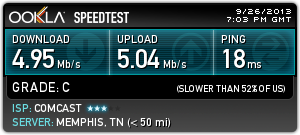
Here's what Comcast looked like via speedtest.net over the Gigabit Ethernet.


But when I connected over Wi-Fi downloads were much slower.


Hmmm. Why? Was it the router?

Remember that I was running a Cisco E2000 with dd-wrt. I'd had lunch with an old friend and he mentioned that he had moved to a new Asus router and it significantly increased his speed. I bought an Asus RT-N65U.

I installed it and ran the speedtest.net test over Wi-Fi again.


That's more like it.

Here's what Windows thought about the Wi-Fi from the routers.


My speculation is that although the E2000 supported 802.11n it looks like dd-wrt didn't enable it. Or it could have been something that I did or didn't do.

The Asus supports "2.4GHz and 5GHz concurrent dual-band transmissions with dual processor design for stronger signals and faster connection rates up to 750Mbps combined." I think that's the difference.

I haven't enabled any QoS on the Asus.

The Asus easily supports guest networks so I setup the "attwifi" SSID that I mentioned here. I haven't had any visitors come by yet but all my AT&T smartphones see it and put it at the top of their list.

Sunday, November 03, 2013

On the Way to VoIP - Part 6

Going down the road with Comcast I was facing $7.00 per month to rent a modem.

OR

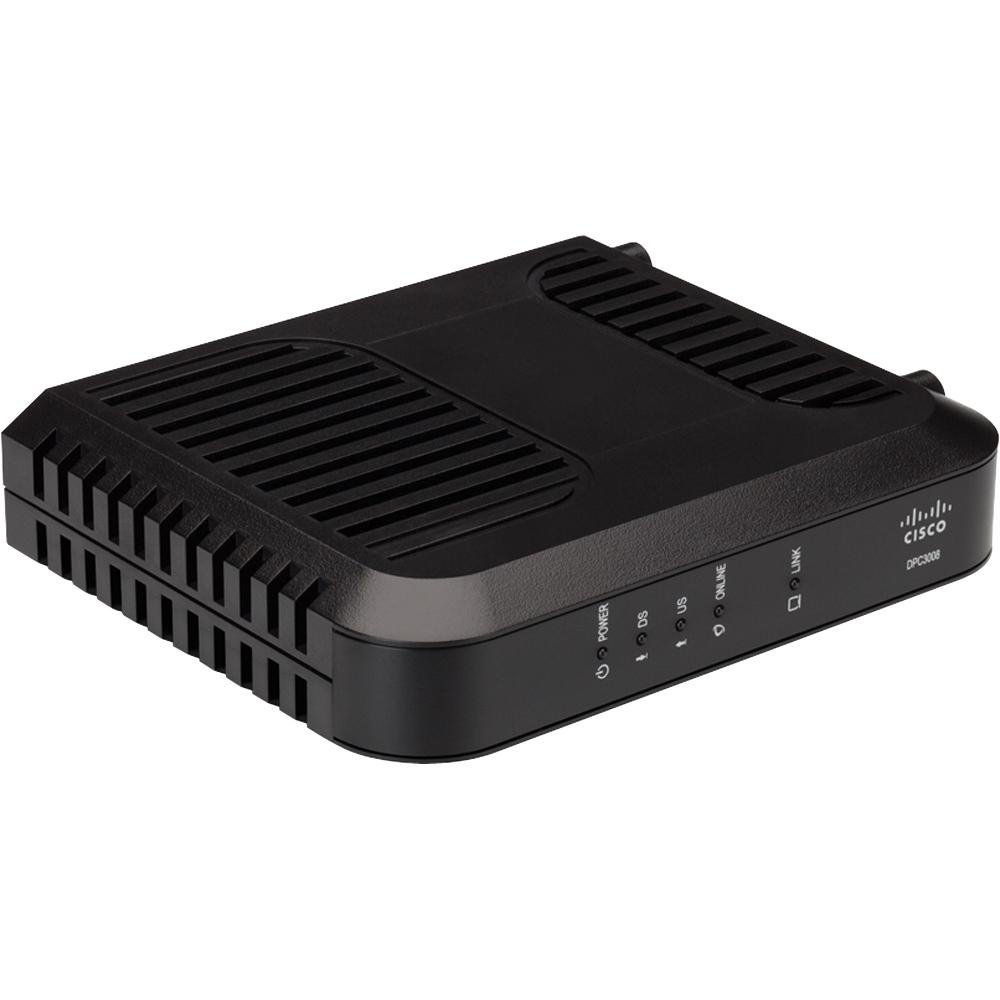
I could buy my own. I came across a good price on a Cisco DPC3008 DOCSIS 3.0 modem and grabbed it.


The Comcast installer didn't blink an eye about it and installed it and activated it with no questions asked.

Interestingly it looks like Comcast downloaded their own firmware onto it.


And it's fast.